Multi-company
A centralized management environment allows authorized users to select multiple companies simultaneously and set their specific warehouses, customers, equipment, and contacts. It also generates reports of aggregated figures without switching interfaces, facilitating daily tasks and enhancing the overall management process.
Configuration
Open the Settings app, navigate to the Companies section, and click Manage Companies. Then, click New and fill in the form with the company’s information or select an existing company to edit it.
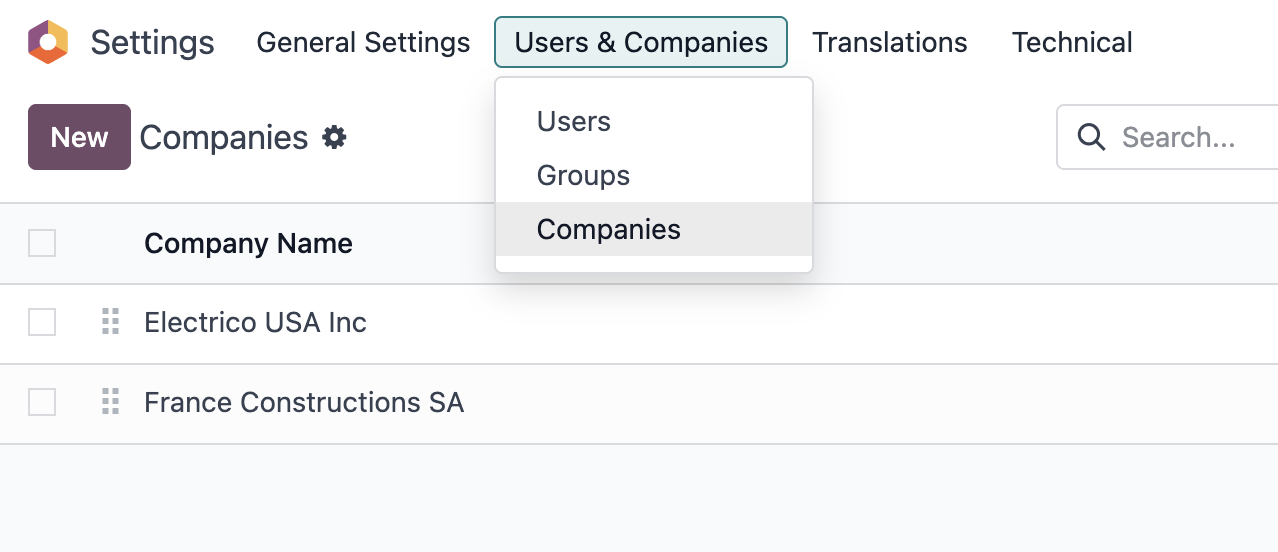
Multi-company environment
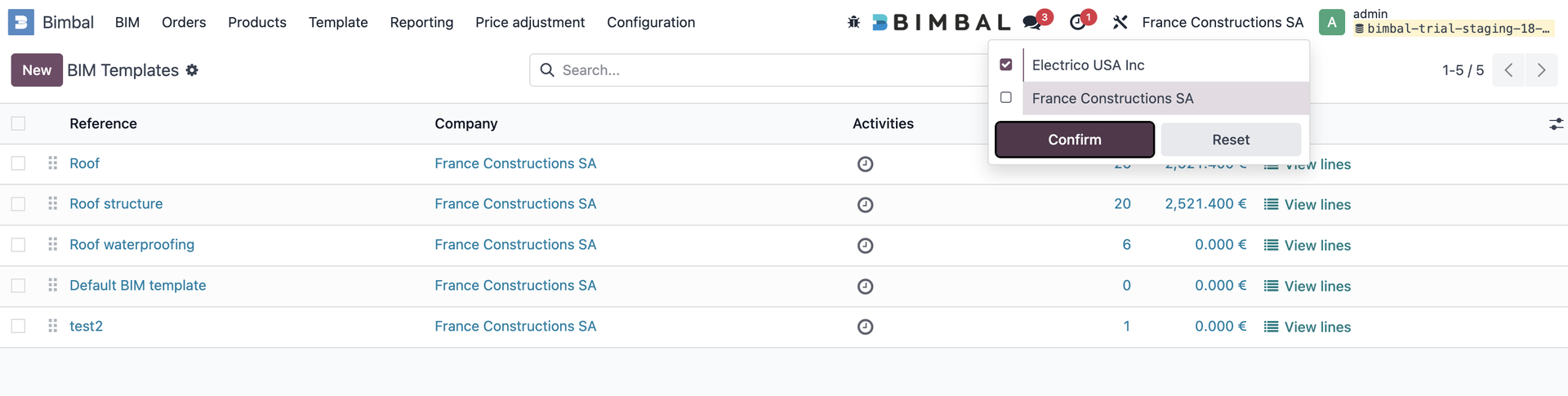
- Click the company selector in the top-right corner of the header menu.
- In the drop-down list, select the checkboxes next to the desired companies.
- The highlighted company indicates the current active environment.
- To switch to another company, click its name in the list of selected companies.
Shared and company-specific records
- either leave the field blank to make it accessible to all companies;
- or select the company to make it visible to users logged in to that specific company.
In a multi-company database, new products and contacts are shared across companies by default. To restrict them to a specific company, set the Company field on the record’s form.
Bimbal® | ERP Software for construction companies
Copyright Bimbal® Inc | www.bimbal.com | info@bimbal.com | Terms & Conditions: https://www.bimbal.com/terms