Price Allocation APP
Sometimes, it is necessary to distribute a sales price across other Variant lines. The Bimbal® Price Allocation App is designed for this purpose.
Prerequisites
To use the Price Allocation features, the Bimbal Price Allocation App must be installed.
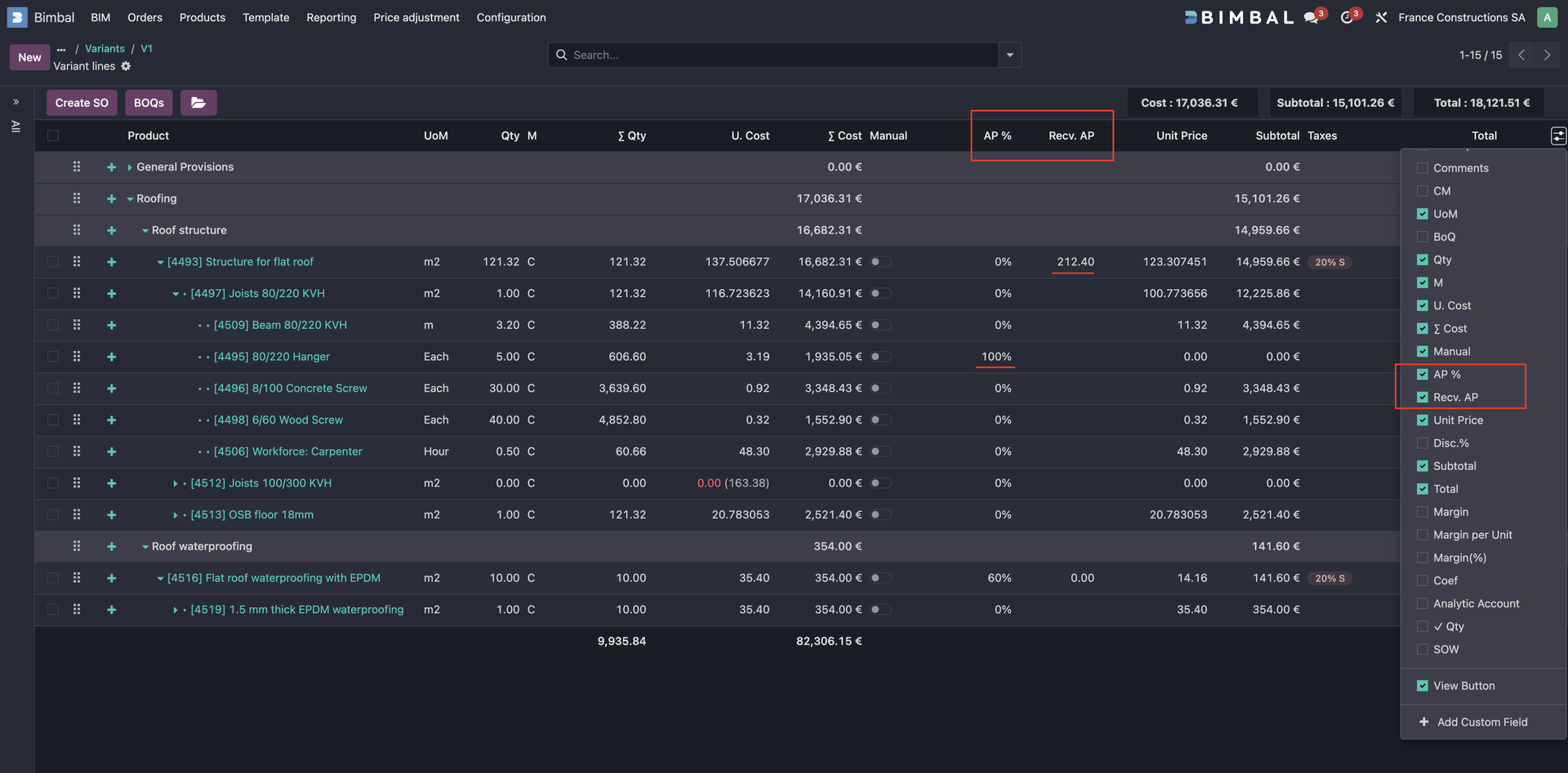
Once the App is installed, the AP % and Recv. AP columns can be displayed in the Variant Line list view.
Usage
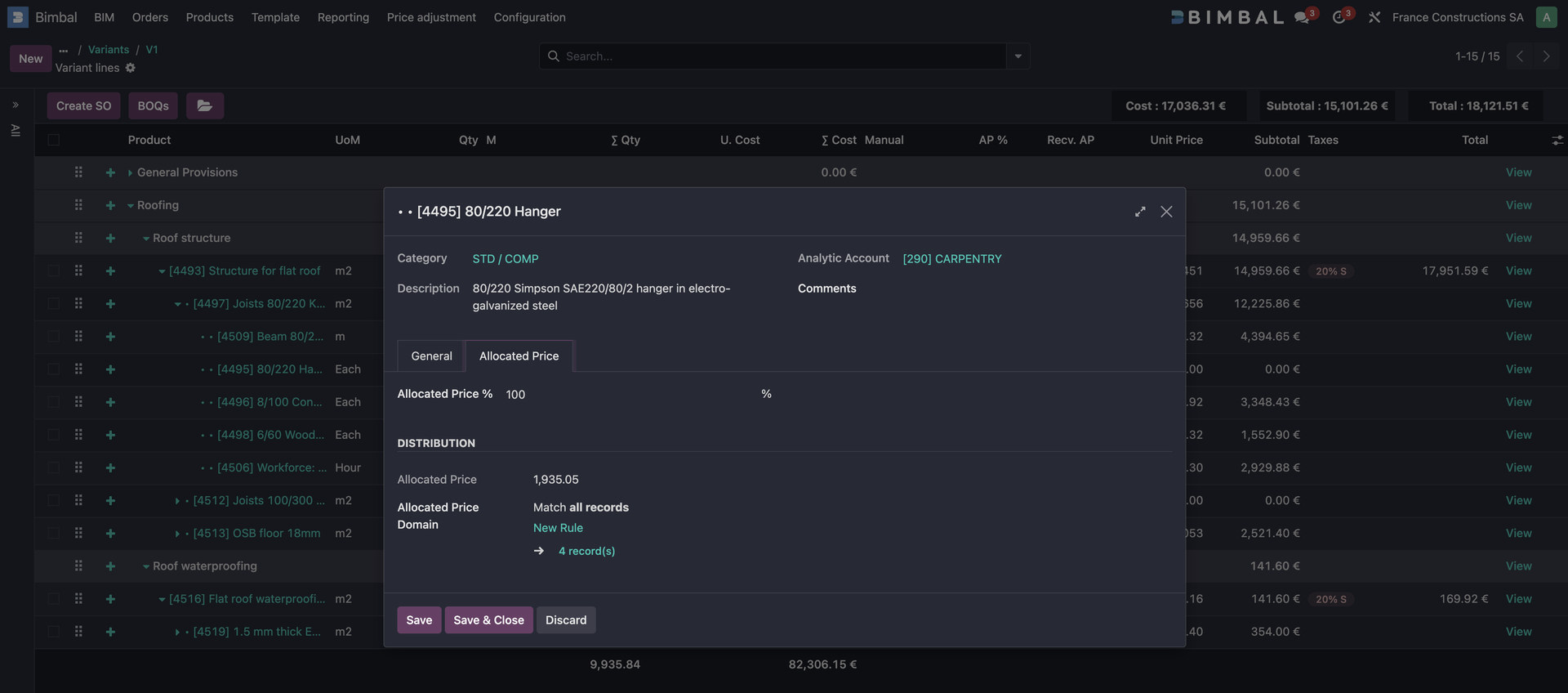
When the Bimbal Price Allocation App is installed, you can define, on a Variant Line, a percentage of the line’s sales price that should be allocated to one or more other lines.
The Allocated Price tab in the Variant Line form view allows you to define an allocation domain. The allocated amount is distributed proportionally across all lines matching this domain, based on their total cost.
Fields
- AP %
Defines the percentage of the line’s sales price to allocate to other lines. - Recv. AP
Displays the amount of allocated price received by a line.
Note:
Price Allocation features never modify costs or cost calculations.
Recalculation
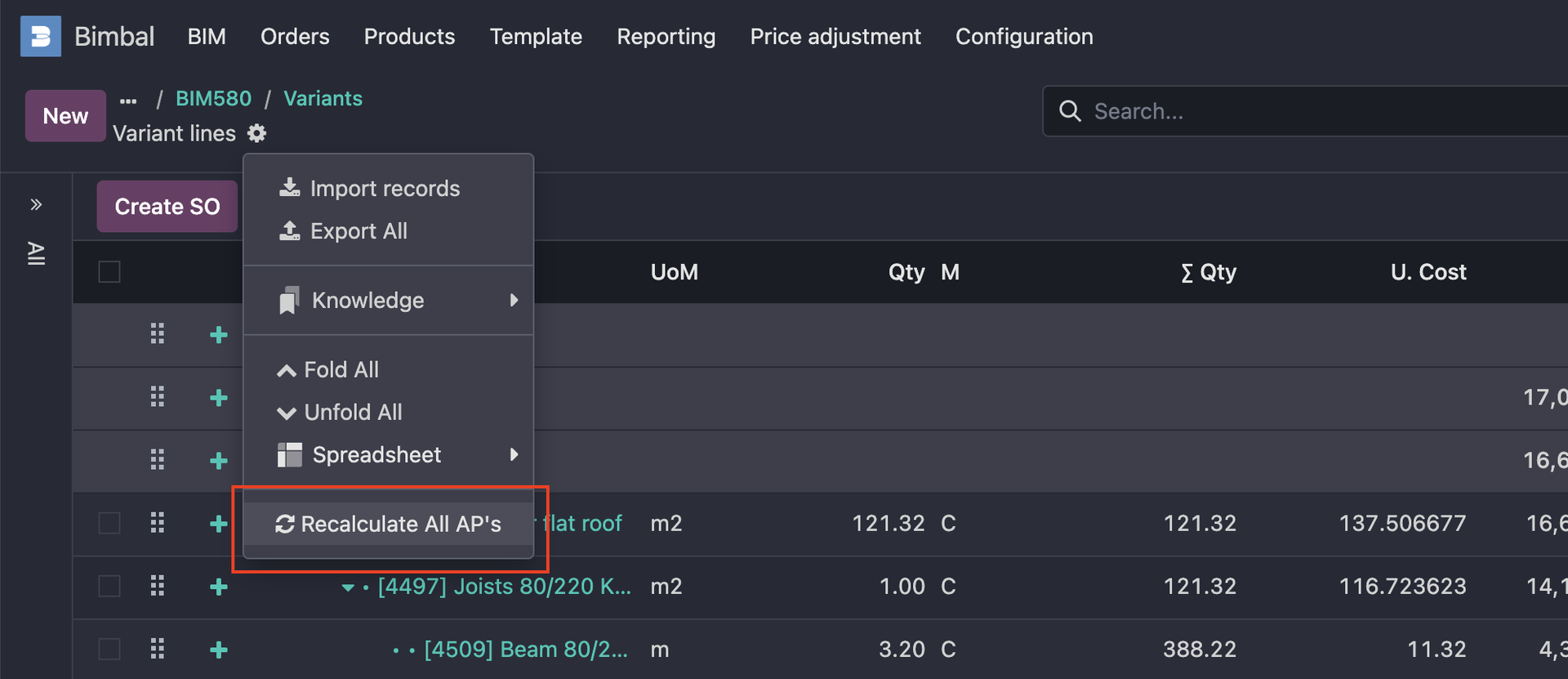
The Recalculate All AP’s action recomputes all Allocated Prices of the Variant.
This action is automatically executed during Sales Order generation.
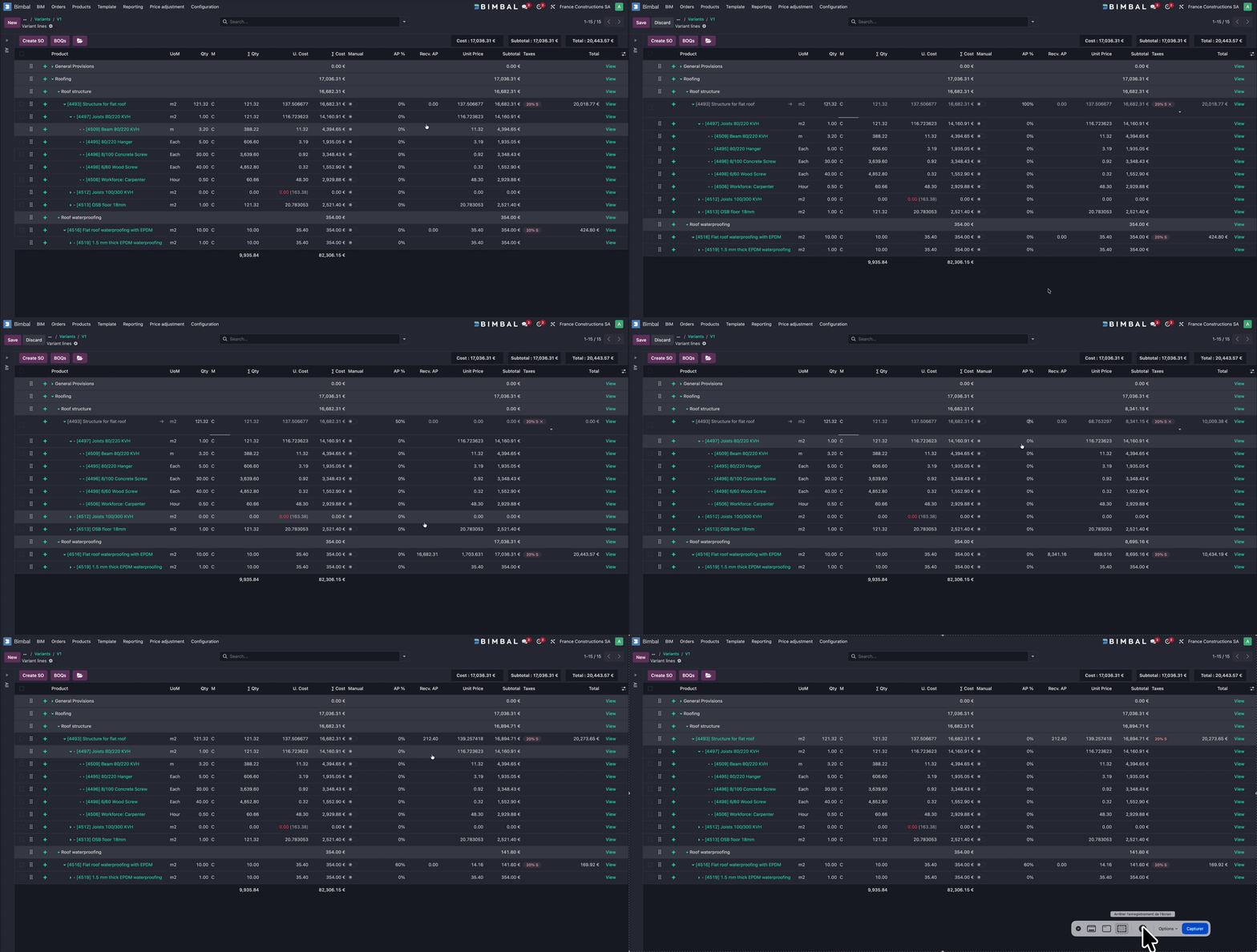
Demo
Bimbal® | ERP Software for construction companies
Copyright Bimbal® Inc | www.bimbal.com | info@bimbal.com
Terms & Conditions: https://www.bimbal.com/terms