BOQ
BOQs (Bill of Quantities) are very useful for quickly calculating quantities while retaining the details of your calculations so that you can update them more easily later on :
- 1 BOQ is a calculation of quantities (no notion of price)
- 1 BOQ consists of calculation lines
- Total BOQ = sum of the result of each BOQ line
- BOQs are variant-specific (or BIM Template-specific)
- All mathematical functions are recognized (see 📄 Math operationsfor more details)
- 1 BOQ can be called as a variable in 1 other BOQ via #boqname
- Possibility of using conditional forms
BOQs are centralized. This means that:
- you can modify them before you start writing a Variant
- you can create them without linking them to a product range
- you can use them as many times as you want
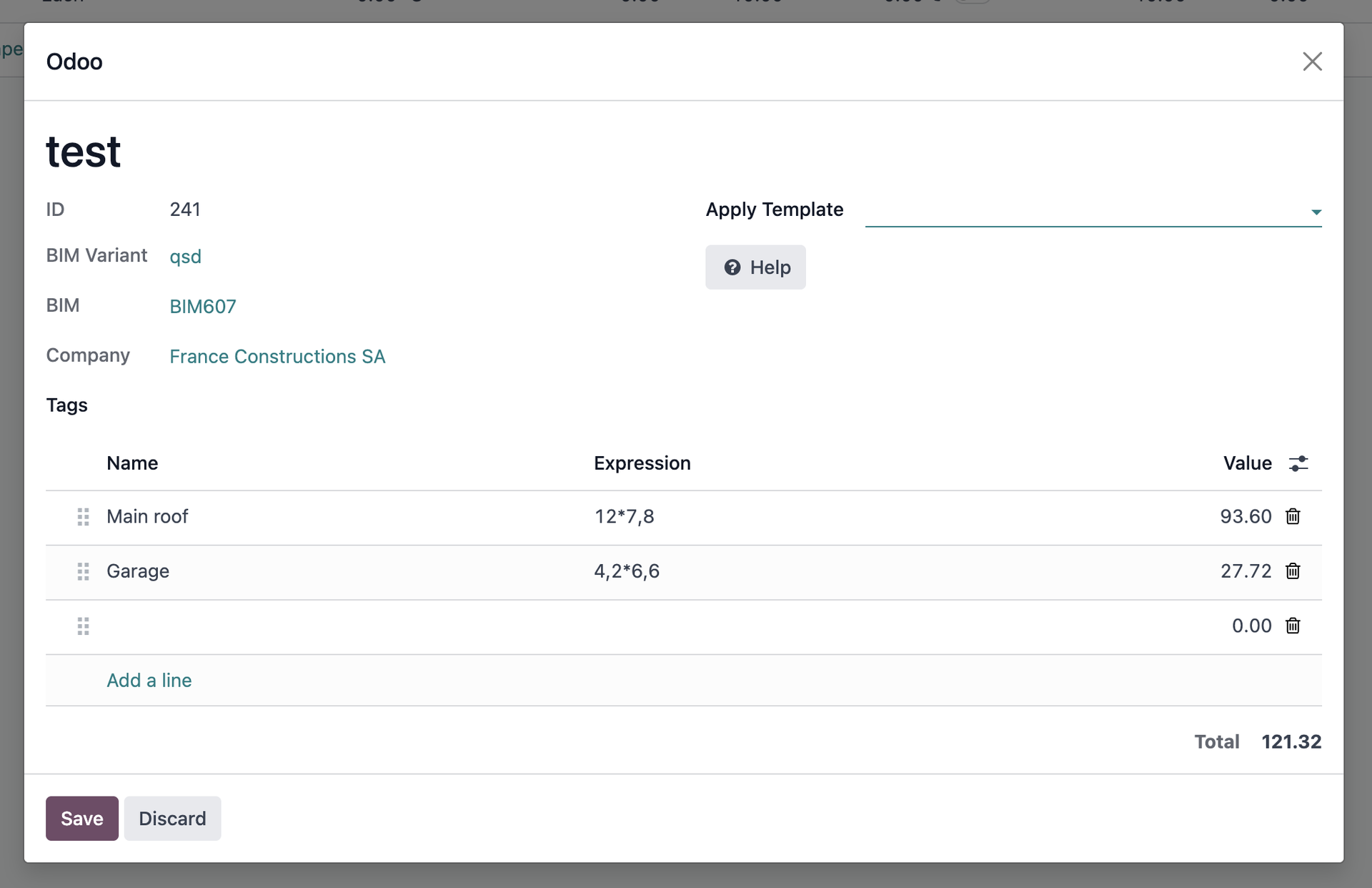
Example:
Line name | Expression | Value |
main Roof | 12*8+4*4,8 | 115,20 |
garage | 4,2*6,3 | 26,46 |
TOTAL: | 141,66 |
In this example :
- The area of a roof is calculated.
- The user named this BOQ: “sroof”
- The user named their first line “main roof” and entered the expression “12*8+4*4.8” Bimbal automatically calculated the result of this expression to be 115.20
- The user named their second line “garage” and entered the expression “4,2*6,3” Bimbal automatically calculated the result of this expression to be 26,46
- Bimbal calculated the total for this BOQ as follows: 141.66
- The user can now use the value of this BOQ as a variable wherever they want by calling it with the #sroof function
Example of advanced use
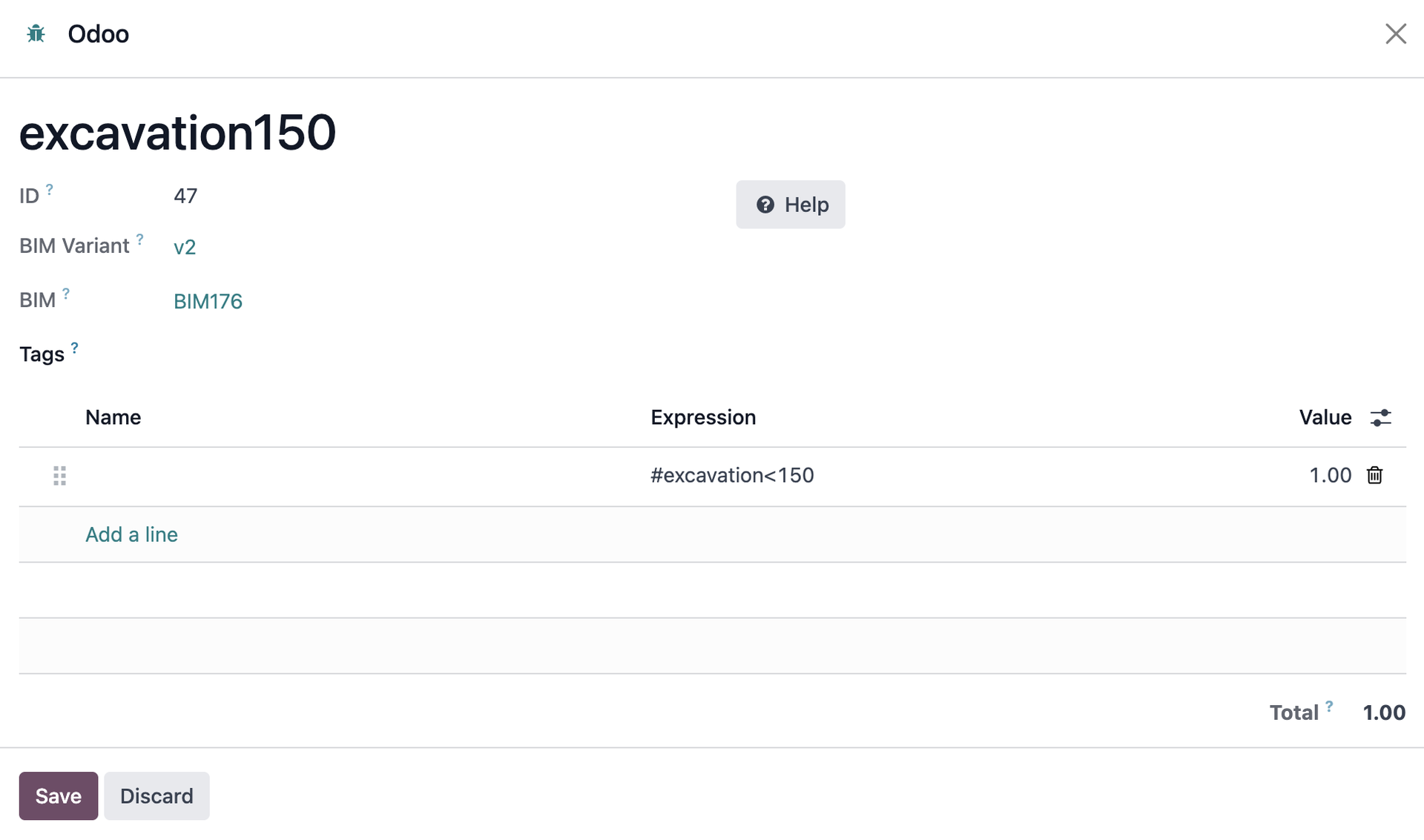
Suppose you want to charge for earthworks at a flat rate if the quantity is less than 150, or at a detailed rate if the quantity is greater than or equal to 150 :
- you create an “excavation” BOQ in which you calculate your earthwork quantities
- you create another boq “excavation150” with the expression
- you create another boq “excavationdetails” with the expression #excavation>=150
If your earthwork quantity is 100, the BOQ “excavation150” will return the value “1,” which will count the product to which it is associated. The BOQ ‘excavationdetails’ will return a value of “0,” which will not count the product to which it is associated.
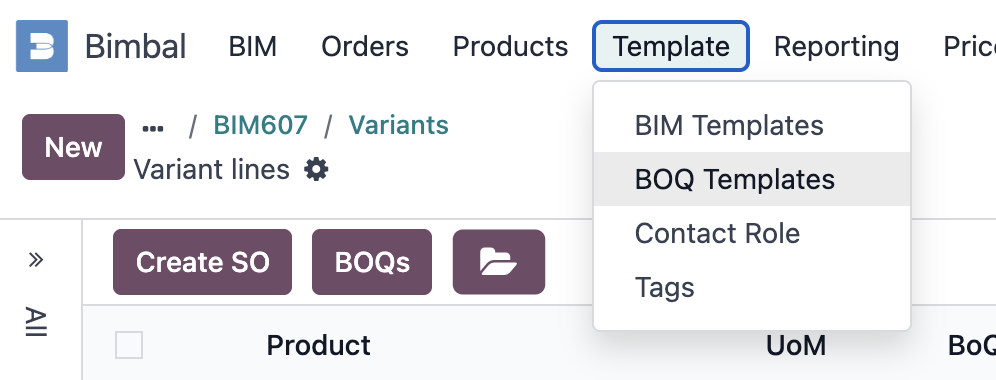
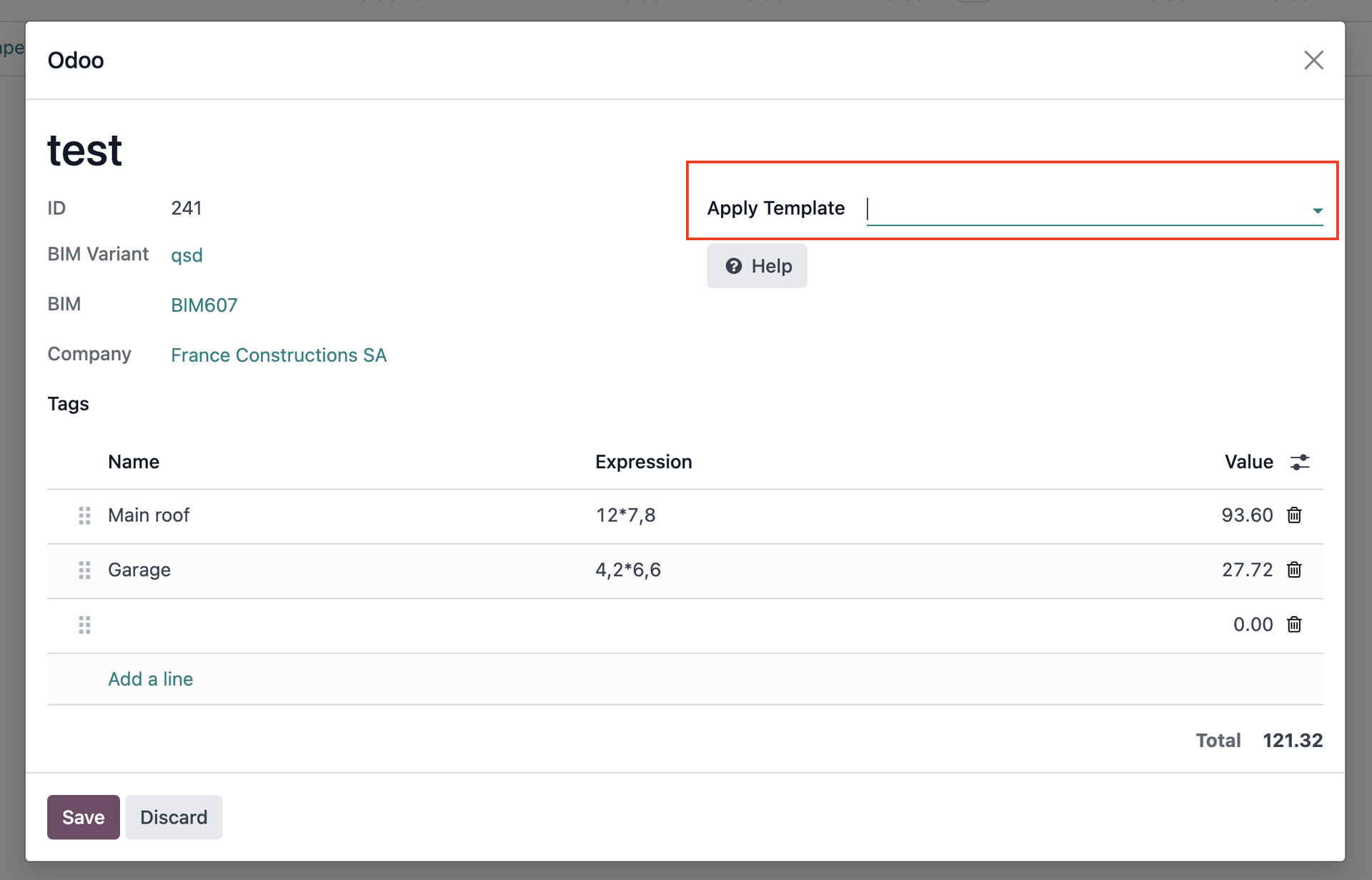
BoQ Template
From the Bimbal/Template/BoQ Templates menu, you can create BoQ templates that can be used in the lines of any BoQ.
Bimbal® | ERP Software for construction companies
Copyright Bimbal® Inc | www.bimbal.com | info@bimbal.com | Terms & Conditions: https://www.bimbal.com/terms