BIM
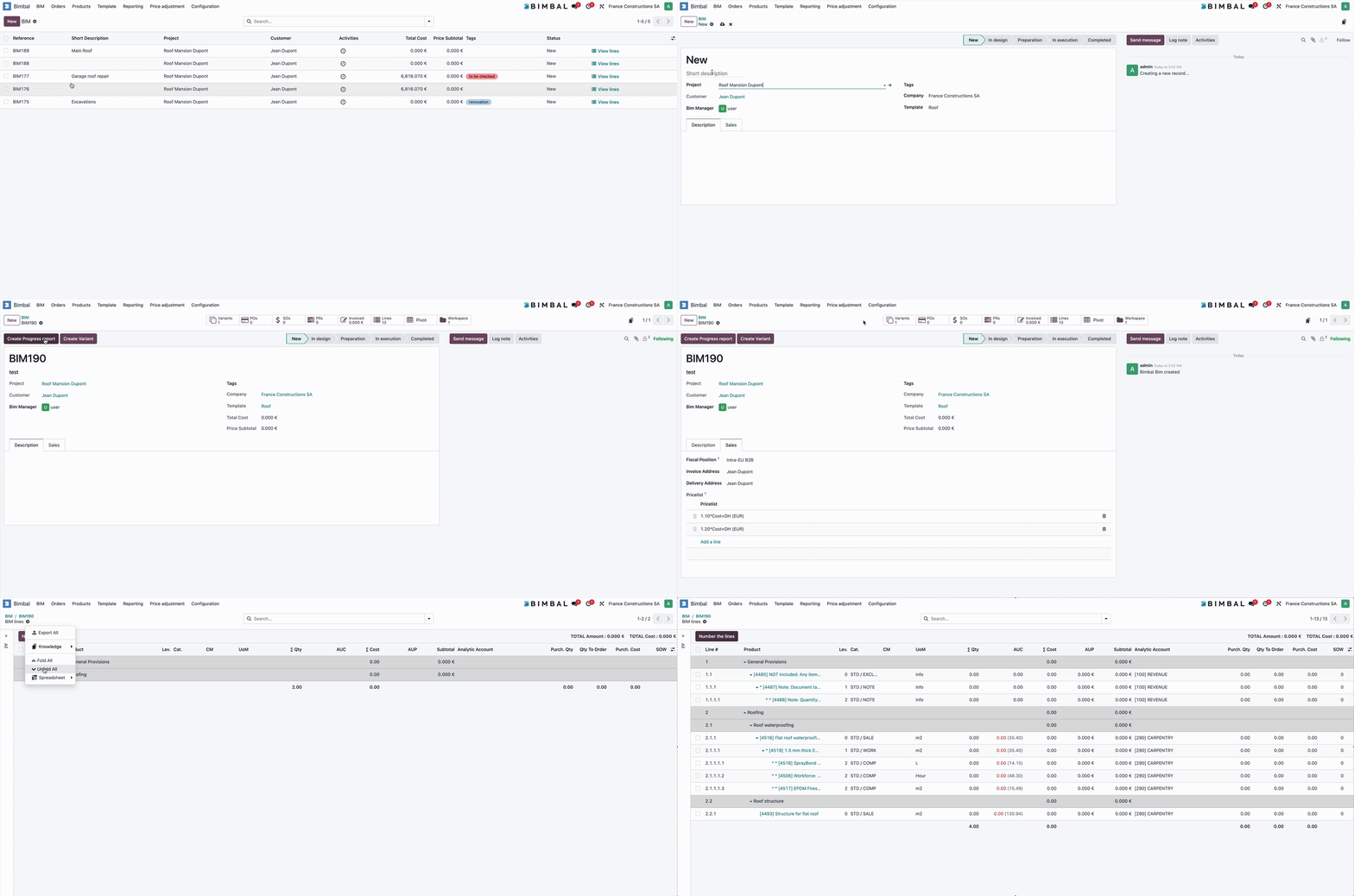
The BIM model is Bimbal's central model. As the nerve center on which Bimbal relies, the BIM model will consolidate all confirmed data from a construction site.
A BIM represents the complete structure of a project, built from Variant Lines and merged into a single consolidated view.
It contains all quantities, products, Contract Methods, and cost information required to understand the full scope of the project at any moment.
A BIM evolves over time through 📄 Variant (changes, additions, removals), and Bimbal merges all confirmed variants to produce the final BIM Line.
How a BIM Works
- A BIM can be createfor each project.
- Users add content through Variants (one Variant = one set of changes).
- Only confirmed Variants are included in the BIM.
- The result is a clean, merged structure reflecting the real state of the project (As Built).
- The BIM can be viewed, filtered, exported, or used for purchase, progress measurement and finance
Key BIM Fields
The BIM name (e.g.: BIM177) is a unique identifier automatically assigned by Bimbal
This field allows the user to briefly describe the purpose of the BIM. Example: garage roof repair.
BIM template used to create the BIM
Each BIM can be assigned one of the following states:
- New
- In Design
- Preparation
- In Execution
- Completed

Such as : Total Cost, Price Subtotal
Sales parameters can be entered in a BIM. These parameters will serve as default parameters for any new variant created in this BIM.
- Fiscal position
- Invoice address
- Delivery Address
- Pricelist
Bimbal® | ERP Software for construction companies
Copyright Bimbal® Inc | www.bimbal.com | info@bimbal.com | Terms & Conditions: https://www.bimbal.com/terms